
This is the question our desk gets asked more than any other, usually by someone who has been told by a friend that they should “get IPTV” and has come away none the wiser. So here is the plain version, written by people who spend their days explaining it in chat windows rather than by a marketing department.
The one-sentence answer
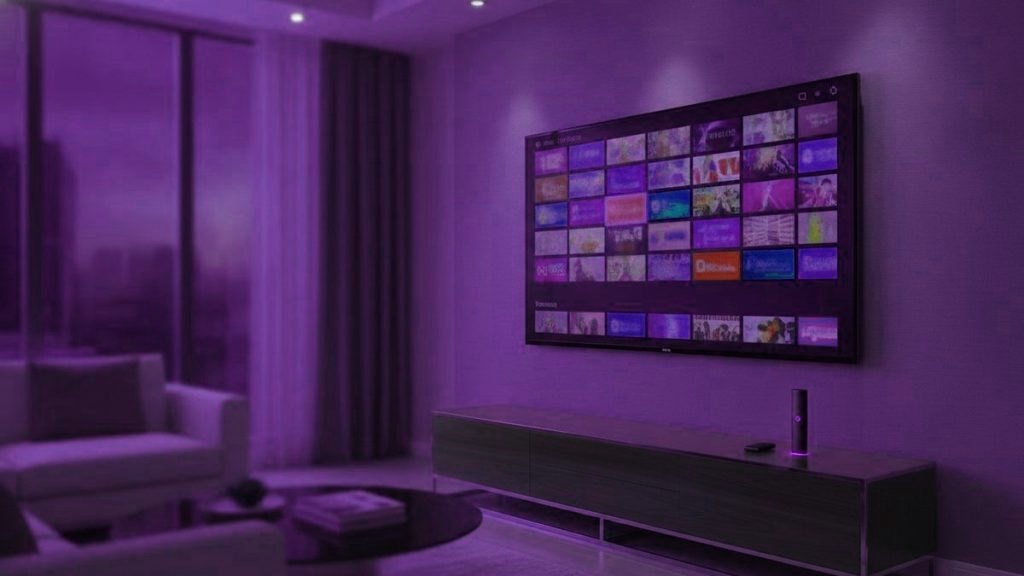
IPTV is television delivered over your ordinary internet connection instead of through a satellite dish, a rooftop aerial or a cable running into the wall. The letters stand for Internet Protocol Television, which is a technical way of saying the picture arrives the same way a web page does.
That is genuinely the whole concept. Everything else is detail about how it is packaged and sold.
What actually happens when you press a channel
It helps to know roughly what is going on, because it makes the troubleshooting later make sense.
A provider takes television channels and encodes them into video streams sized for the internet. Those streams sit on servers. When you open a player app and choose BBC One, your app asks the server for that stream, and the server starts sending it. Your app buffers a few seconds of it so that small hiccups in your connection do not show on screen, then plays it.
Three things follow from that, and they explain most of what people find confusing:
- Your connection quality matters more than your television. The picture is travelling to you live. A wobbly line produces a wobbly picture no matter how good the screen is.
- Peak times are the hard part. When ten thousand people ask for the same channel at kick-off, the server has to send ten thousand copies at once. Providers who have not paid for enough capacity fall over precisely then, which is why a service can look flawless on a Tuesday morning and collapse on Saturday night.
- The app is just a window. The player you install holds no channels of its own. It is an empty shell until you give it credentials, which is why “free IPTV app” is a slightly misleading phrase.
What you need to make it work
Less than people expect, and usually nothing new:
- A screen that runs apps. A smart TV, a streaming stick, a phone, a tablet or a laptop. If your television is older than about 2016, a £30 stick plugged into the HDMI port turns it into one.
- A reasonable connection. Roughly 10 Mbps per HD stream, 25 Mbps for 4K. Steadiness matters more than the headline figure — a solid 30 Mbps beats an erratic 200, because streams break on the gaps rather than the average.
- A subscription. Three values: a server address, a username and a password. That is what you are actually buying.
No dish. No engineer visit. No box rented from anyone at £8 a month for the rest of your life.
How it differs from Netflix, and from cable
People reach for both comparisons and both are half right.
Netflix is also television over the internet, so technically it is a form of IPTV. The difference is what is on it: Netflix owns or licenses a catalogue of programmes and shows you those. An IPTV subscription carries live channels — the actual broadcast feeds, running now, with the football on at the same moment it is on everywhere else. That is the thing Netflix cannot do and the reason most people go looking for this.
Cable is the closer comparison in terms of what you watch. The differences are structural:
| Cable or satellite | IPTV | |
|---|---|---|
| How it reaches you | Dedicated cable or dish | Your existing broadband |
| Getting started | Installation appointment | Three values typed into an app |
| Hardware | Rented box, returned when you leave | Whatever you already own |
| Commitment | Typically 12 to 24 months | Month to month if you want |
| What breaks it | Weather, line faults | Your connection, or the provider’s capacity |
The part nobody puts in the sales copy
Since we answer the messages, we see which problems are real. Almost none of them are exotic.
The overwhelming majority of “it does not work” conversations end in one of four places: the server address was typed without its port number, the app was set up with a plain playlist instead of a proper login so there is no programme guide, the device is on Wi-Fi two rooms from the router, or the subscription quietly reached its end date. None of those is a fault in the technology. All of them take under five minutes to fix if somebody answers you.
That last clause is the entire difference between providers, and it is worth more attention than channel counts. A service with twenty-five thousand channels and nobody on the other end of the chat is worse, in daily use, than a smaller one where a human replies in ten minutes. When you are comparing, send the sales channel a question before you pay and see what happens. How fast and how honestly they answer tells you more than any feature list.
What it costs, roughly
Expect somewhere between $10 and $20 a month for a single screen, with the per-month figure dropping if you commit to a longer term. Ours runs $15 for a month or $69 for a year, which is about $5.75 monthly.
Be cautious with anything far below that range. Bandwidth, servers and staff have a genuine cost floor, and a year sold for $20 is either being subsidised from somewhere else or run by somebody who does not expect to be trading by spring. The cheap ones are not cheap because they found an efficiency; they are cheap because they have not paid for capacity, and you find that out on the first big match night.
Is it legal?
The technology is entirely legal — it is how Hulu, YouTube TV and Sling deliver television. What varies is whether a given provider holds the rights to what it carries, which is a question about that provider rather than about IPTV. We have written a fuller piece on how to judge that and what the law actually says in different countries.
How to try it without committing
Take a trial, and use it properly. A trial on a quiet weekday morning tells you nothing, because every provider looks capable when their servers are half empty. Use it on the evening you would normally be watching, on the connection you actually have, on the television you actually own.
And while you have it, ask the support channel something awkward. The streams are only half of what you are buying. The other half is whether anyone is there when something goes wrong at nine o’clock on a Saturday, and a trial is the only honest way to find that out before your money is involved.
What we would check before you buy anything
Three quick sanity checks, in the order we would run them, before money is involved anywhere.
Test your line, not your patience. Run a speed test on the device that will actually do the watching, at the time of day you will actually watch. A router two rooms away at 9pm tells you far more than a laptop beside it at lunchtime.
Establish what your television can install. If it is a smart TV from 2016 or later, you almost certainly need nothing else. If it is older, budget $30 to $50 for a stick and stop worrying about it.
Ask somebody a question. Any provider will answer “do you have Sky Sports”. Ask something that requires knowledge instead — which app suits your specific television, say — and see whether the reply is specific or a sales pitch. That single exchange predicts your next twelve months better than any feature list.
Frequently asked questions
Is IPTV the same thing as Netflix?
Not quite. Both send television over the internet, but Netflix carries a licensed catalogue you watch on demand, whereas an IPTV subscription carries live broadcast channels running in real time. Most people want IPTV specifically for live sport and news, which no on-demand service can provide.
Do I need a special box to watch IPTV?
Almost certainly not. Any smart TV, streaming stick, phone, tablet or computer will run a player. Only if your television predates about 2016 do you need to add anything, and a cheap Fire TV Stick covers that for around $30 to $50.
How fast does my internet need to be?
About 10 Mbps for each HD stream and 25 Mbps for 4K. Consistency matters more than the headline number, because streams break on the gaps rather than the average. Putting the device on a cable rather than Wi-Fi fixes more complaints than any other single change.
Why does IPTV buffer in the evening but not the morning?
Because everybody is watching at once and the provider's servers have to send every one of those streams simultaneously. It is a capacity problem at their end, not usually a fault at yours. It is also the single best reason to test any service on a busy evening before paying for a year of it.
What is the difference between an M3U link and an Xtream login?
They reach the same account by different routes. An Xtream login is three values and brings the programme guide and on-demand library with it. An M3U link is a single URL that carries the live channels only. Where your player offers both, choose Xtream.
Can I watch on more than one television?
Yes, though how many can play at the same moment depends on your plan rather than on how many devices you install the app on. A one-screen plan lets you sign in everywhere but play in one place at a time.
Do I need to cancel my existing TV package first?
No, and we would suggest you do not. Run a trial alongside whatever you currently pay for, on the same television, for a few evenings. That way you are comparing directly rather than from memory, and you still have the old service if you decide against switching.
Want someone to set this up with you?
Message the support desk and we will have you watching in under 15 minutes, walking you through it if you want. Changed your mind inside 7 days? We refund you.
Related articles
How to Get Your Parents Set Up on IPTV
Quick answer: To get your parents set up on IPTV, keep it simple: pick one easy device, build a short favourites list…
October 15, 2026What Good IPTV Support Looks Like (and the Red Flags)
Quick answer: Good IPTV support is fast, human, and patient: a real person who answers quickly, asks about your device, and stays…
October 15, 2026IPTV for People Who Hate Tech
Quick answer: You do not need to be good with technology to use IPTV. If you can plug in a device and…