
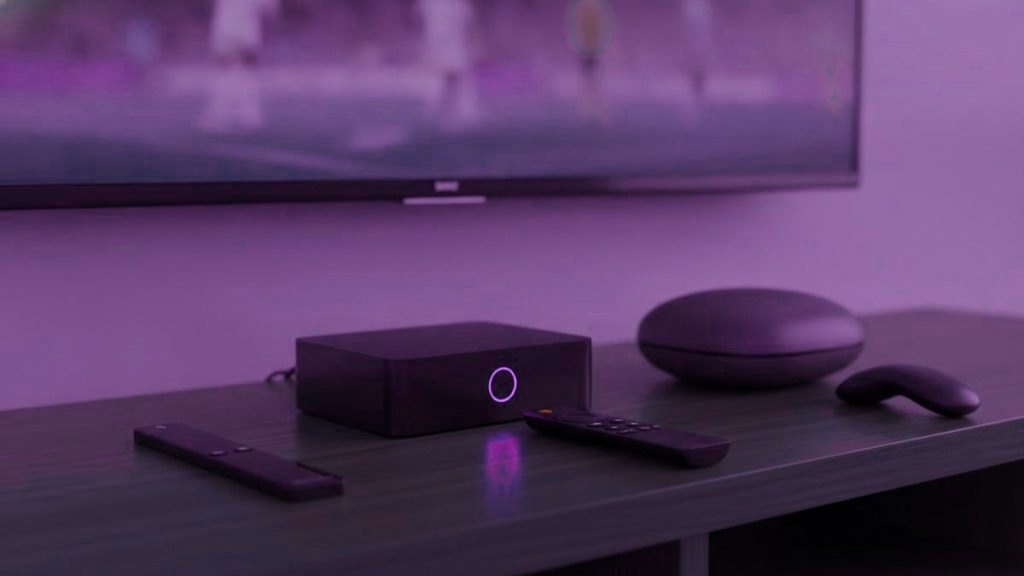
Before anything else: most people asking this do not need to buy a box. If your television is a smart TV from roughly 2016 onward, or you already own a streaming stick, you are equipped. Check that first, because the cheapest hardware is the hardware already in the house.
If you do need something, here is how the realistic options compare, and who each one is actually for.
Fire TV Stick 4K / 4K Max — $30 to $50
The default answer for most households.
Cheap, universally available, handles 4K without complaint, and — crucially — Amazon permits sideloading, which is how the players worth using get onto it. That last point is the reason a Firestick beats several more expensive devices for this specific purpose.
The Max is worth the small premium over the standard 4K: more memory, a faster processor, and it stays responsive longer as apps grow. Avoid the Lite, which caps at 1080p, so if you are paying for 4K feeds you will never see one.
Against it: the interface is aggressively full of Amazon’s own content, the wireless is the weakest part of it, and sideloaded apps hide at the end of Your Apps and Channels rather than on the main row.
Formuler Z11 Pro / Pro Max — $120 to $180
For a main television, if you want purpose-built hardware.
These are built for exactly this job rather than adapted to it, and it shows in the details: the remote has a dedicated favourites key, MyTVOnline is designed around live channels, and it runs Android underneath so TiviMate installs normally from the Play Store.
The build quality and the remote are the real arguments. If IPTV is the primary use of a living-room television and it will be for years, this is the most pleasant of these to live with.
Against it: four to five times the price of a Firestick for a difference most people would describe as refinement rather than capability. Portal setups also need the MAC registering with your provider first, which is one extra step.
Nvidia Shield TV / Pro — $150 to $200
The performance option, and the one with the longest life.
Comfortably the most powerful device here. It handles everything without hesitation, upscales well, and Nvidia has supported these for an unusually long time — a Shield bought years ago still receives updates, which is not true of most streaming hardware.
If you want one box that also handles gaming, Plex and heavy media duties alongside live television, this is it.
Against it: considerable overkill if all you want is IPTV. The processing power buys you very little on a live stream, which is not a demanding workload. Buy it for the other reasons and enjoy that it does this too.
MAG boxes — $80 to $150
Only if your provider specifically recommends one.
MAG hardware authenticates by MAC address against a portal rather than by username and password. It is stable and it is what a lot of older setups run, but it is a narrower device: no Play Store, no alternative players, and everything depends on portal support.
Against it: less flexible than an Android box at a similar price. We would generally steer someone toward a Formuler instead, which does the portal thing and also runs ordinary Android apps.
What about using the television on its own?
Worth taking seriously, because it costs nothing. A Samsung or LG set from 2016 onward will run IPTV Smarters or Smart IPTV natively, with no box, no extra remote and no additional HDMI input in use.
The trade-offs are real but modest. Smart TV processors are slower than a dedicated stick, so the interface can feel sluggish on a long channel list, and the app selection is narrower — TiviMate does not exist on either platform. Manufacturers also drop support for older models, so an app that works today may stop being updated.
Our rule of thumb: if the set is from 2019 or later, try it natively first and only buy hardware if it disappoints. If it is older than that, a stick will improve things enough to justify the $50 immediately.
Specifications that matter, and ones that do not
Streaming device marketing emphasises numbers that make almost no difference to live television. What actually matters is short:
- 4K output, if you have a 4K television and are paying for those feeds. Otherwise irrelevant.
- Ethernet, or the ability to add it. The most important item on this list by a wide margin.
- Enough memory to stay responsive. 2GB or more. This is the difference between the Firestick 4K and the Max, and it is why the Max ages better.
- An operating system that lets you install what you want. Android and Fire OS do. Roku largely does not, which is why it appears nowhere in this comparison despite being extremely popular.
Things that do not matter: processor benchmarks, HDR format support beyond what your television actually has, and storage capacity. A player app is small and streams are not stored.
Side by side
| Fire TV Stick 4K Max | Formuler Z11 | Nvidia Shield | |
|---|---|---|---|
| Price | $50 | $120 to $180 | $150 to $200 |
| 4K | Yes | Yes | Yes |
| Runs TiviMate | Sideload | Play Store | Play Store |
| Ethernet | Adapter needed | Built in | Built in |
| Remote | Basic | Excellent | Good |
| Best for | Almost everyone | Main TV, long term | Power users |
The accessory that matters more than the box
If the router is not in the same room as the television, spend $10 on an Ethernet adapter before you spend $150 on a faster box. Wireless is the cause of the overwhelming majority of buffering complaints that reach our desk, and no amount of processing power compensates for a weak signal.
A Formuler and a Shield have Ethernet built in. A Firestick needs the adapter, and it plugs into the micro-USB power port. It is the single best value purchase in this entire article.
What we would actually tell you in the chat
Check what you own first — a 2018 Samsung needs nothing at all. If you do need hardware and are not sure, buy a Fire TV Stick 4K Max and an Ethernet adapter, spend about $60, and be done. It handles everything this service can throw at it.
Move up to a Formuler or a Shield only if you have a specific reason: you want the better remote, you want a device that lasts a decade, or the television is genuinely the centre of the household. Those are good reasons. “It is more expensive so it must stream better” is not — a live stream is not a demanding workload, and a $50 stick delivers the same picture as a $200 box.
Buying second-hand, and what to avoid
Streaming hardware holds up well, so used is often sensible — a Shield or a Formuler from a couple of years ago will do this job perfectly. Two cautions though.
First, factory reset anything you buy used before signing in, and check it is not still tied to somebody else’s account. A device logged into a previous owner’s store account is a headache you do not need.
Second, avoid anything advertised as “fully loaded”, “preloaded” or sold with a subscription bundled in. That hardware is generic, marked up considerably, and comes with software somebody else chose and you cannot audit. It is also precisely the category enforcement action concentrates on. Buy ordinary retail hardware, set it up yourself in ten minutes, and you know exactly what is on it.
Frequently asked questions
Do I need to buy a box for IPTV?
Usually not. A smart TV from around 2016 onward, or any streaming stick you already own, will run a player perfectly well. Only buy hardware if your television cannot install apps or has become too slow to run them comfortably.
What is the best IPTV box for most people?
A Fire TV Stick 4K Max at around $50. It handles 4K, allows the sideloading that gets the good players onto it, and costs a fraction of the alternatives. Add a $10 Ethernet adapter if your router is not in the same room.
Is the Formuler Z11 better than a Firestick?
It is nicer to live with — a better remote, built-in Ethernet, and an interface designed around live television. It is not four times better, which is roughly the price difference. Worth it on a main television you will keep for years; hard to justify on a spare set.
Is the Nvidia Shield worth it just for IPTV?
No, on its own it is overkill. A live stream is not a demanding workload and a $50 stick produces the same picture. Buy a Shield if you also want gaming, Plex or heavy media duties, and treat IPTV as a bonus.
Should I buy a preloaded IPTV box?
We would avoid them. Devices sold preloaded with subscriptions are exactly what enforcement targets, the hardware is usually generic and overpriced, and you have no idea what else has been installed. Buy ordinary retail hardware and set it up yourself.
Will a cheaper box mean worse picture quality?
Not for streaming. Provided the device supports 4K output, the picture is determined by the stream and your connection rather than the processor. What more expensive hardware buys is responsiveness, build quality, remotes and longevity.
Does a more expensive box give a better picture?
No. Provided the device outputs 4K, the picture is decided by the stream and your connection, not by the processor. What extra money buys is responsiveness, build quality, a better remote and a device that stays supported for longer — all real, none of them visible in the image itself.
Want someone to set this up with you?
Message the support desk and we will have you watching in under 15 minutes, walking you through it if you want. Changed your mind inside 7 days? We refund you.
Related articles
How to Get Your Parents Set Up on IPTV
Quick answer: To get your parents set up on IPTV, keep it simple: pick one easy device, build a short favourites list…
October 15, 2026What Good IPTV Support Looks Like (and the Red Flags)
Quick answer: Good IPTV support is fast, human, and patient: a real person who answers quickly, asks about your device, and stays…
October 15, 2026IPTV for People Who Hate Tech
Quick answer: You do not need to be good with technology to use IPTV. If you can plug in a device and…